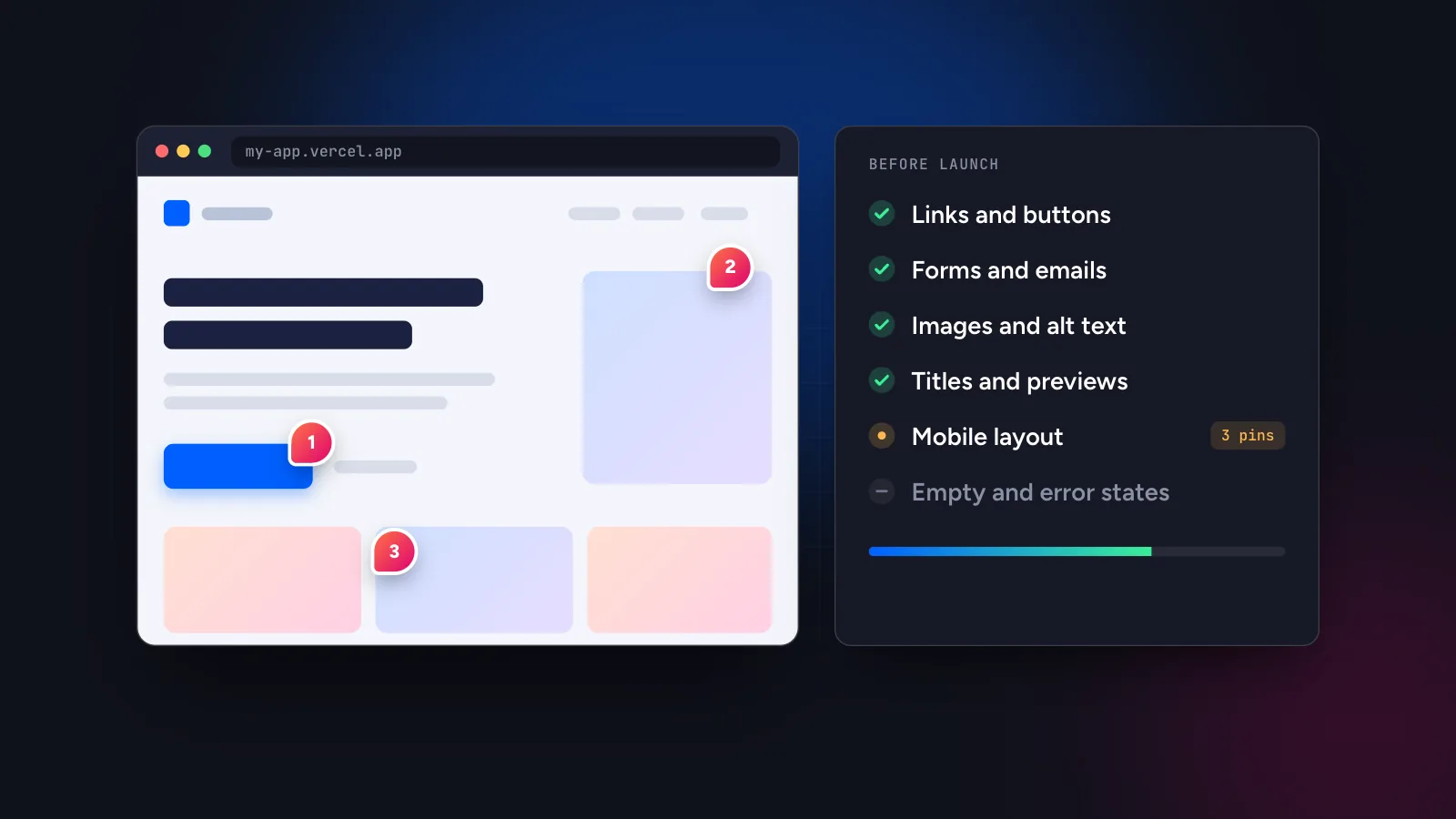
To review a vibe-coded website before launch, open the deployed URL (not localhost), click through every page on desktop, tablet and mobile, and pin a comment on each problem instead of keeping a list in your head. Check links and buttons, forms, mobile layout, images, page titles and previews, placeholder text and empty states, then give the open comments to your AI agent and re-check the result.
In this guide
Why vibe-coded sites need a deliberate review
A site built with Lovable, Bolt, v0, Cursor or Claude Code usually looks finished very early. The first screen is polished, the copy reads well and the preview works. The gaps tend to sit where nobody looked: the second breakpoint, the form that never sent an email, the image without alt text, the page title that still says “Vite App”.
The reason is simple. The person who prompts the site sees what the agent was asked to build, and the agent sees code. Nobody has walked the whole site as a visitor would. A review is that walk, done on purpose and recorded in a form you can act on.
Set up the review
- Deploy first. Review the real thing: a preview deployment, staging or production URL. Local-only checks miss environment variables, build differences and hosting rules. A tool that loads sites from its own servers cannot reach
localhostanyway. - List the pages. Write down every route, including the ones nobody links to: pricing, contact, thank-you pages, 404, terms, privacy.
- Choose your devices. Desktop at around 1280 px, tablet at 768 px and mobile at 390 px cover most layout problems. See feedback on responsive websites for how to review each one.
- Pick one place for the findings. A chat thread or a notes file loses context. A website feedback tool keeps each finding attached to the page and element, which matters later when an agent has to fix it.
The pre-launch checklist
Work through the groups below. Each item is a question you can answer by clicking, not by reading code.
Links and buttons
- Does every navigation link, footer link and button go somewhere, and is it the right place?
- Do internal links keep the visitor on the real domain rather than a preview domain?
- Do buttons show a hover and focus state, and do they still look clickable on touch screens?
- Does the 404 page exist, and does it link back to the home page?
Forms and emails
- Submit every form with valid data. Does the visitor see a confirmation, and does the message arrive where the owner expects it?
- Submit with empty and invalid fields. Are the error messages readable and attached to the right fields?
- Check the sender address and subject of any automatic email. Placeholder values are common here.
Mobile and tablet layout
- Does the page scroll sideways at 390 px? Wide tables, long words and fixed-width images are the usual cause.
- Does the navigation open and close on a phone, and can you reach every item?
- Do headings wrap sensibly, and do buttons stay on one line when they should?
- Is text large enough to read without zooming, and are tap targets far enough apart?
Images, media and fonts
- Do all images load, and are they sharp but not enormous? A multi-megabyte hero image is a common surprise.
- Does each meaningful image have alt text, and do decorative images have an empty one?
- Do custom fonts load, and does the fallback look acceptable while they do?
Titles, descriptions and link previews
- Does every page have its own title and meta description, not the framework default?
- Paste the URL into a chat app. Does the preview show the right title and image?
- Is there one clear H1 per page, and does the favicon belong to your brand?
Content, placeholders and empty states
- Search the rendered site for “lorem”, “example.com”, “your company” and sample names. AI-generated pages often leave these behind.
- Check prices, dates, phone numbers and addresses against the source of truth.
- Look at empty states: a list with no items, a search with no results, a form after submission.
Basics that are easy to skip
- Accessibility. Can you tab through the page in a sensible order, and is there enough contrast between text and background?
- Privacy and legal pages. Are terms, privacy policy and cookie notice present where your audience requires them?
- Secrets. Open the browser developer tools and check that no API keys or private endpoints are exposed in the page source. A leaked key is not a visual bug, but it is the worst thing a rushed launch can contain.
- Redirects and analytics. Does the www or non-www version redirect to the one you want, and does your analytics tool see the visit?
Failure patterns specific to AI-generated code
Beyond the usual checklist, a few problems turn up again and again in vibe-coded projects. They are worth a targeted look.
- Buttons that do nothing. A component looks interactive but has no handler, or the handler logs to the console.
- Hard-coded demo data. Dashboards and lists that show invented names, prices or dates because the real data source was never connected.
- Forms that fake success. The page says “Thanks!” while the request fails silently or goes nowhere.
- Fixed widths. Layouts that look right at one size and overflow at the next, usually because a container has a pixel width.
- Duplicate or contradicting sections. Repeated paragraphs after several rounds of prompting, or two different phone numbers on one page.
Capture problems as pinned comments
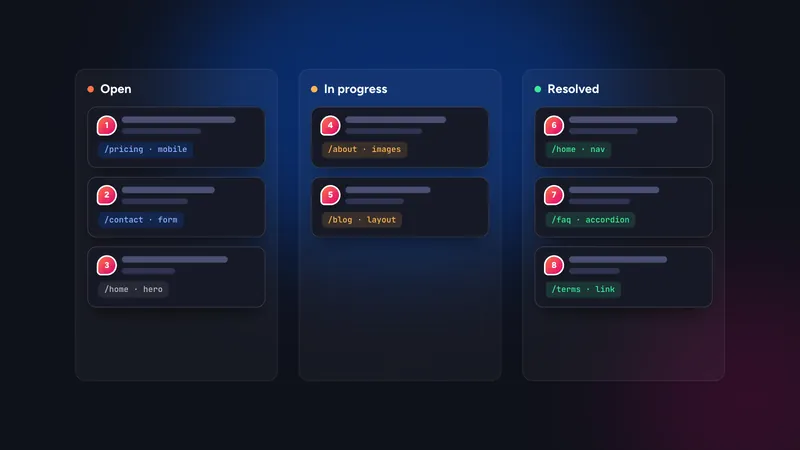
While you click through, do not stop to fix things. Write each problem where you see it. In Symu 2 you paste the site URL, switch to comment mode and click the element. The comment stores the page URL, CSS selector, XPath, an HTML snippet and the breakpoint you were on, so “the button looks wrong” becomes a precise, locatable task.
Switch the preview between desktop, tablet and mobile and repeat the pass at each size. A comment made at 390 px is tagged as mobile, which stops the agent from “fixing” the desktop layout by mistake. Because the tool loads the site by URL through a server-side proxy, nothing is added to the site you are reviewing.
Write one change per comment and state the outcome. The guide on writing feedback an AI agent can act on has examples.
Hand the list to your agent and verify
With the findings in one place, the agent can work through them without you retyping each one.
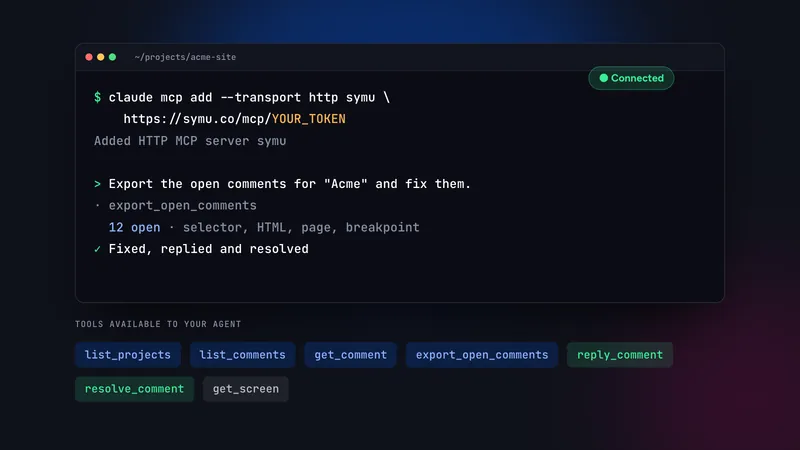
- With MCP: connect Claude Code, Cursor or another MCP client and ask it to fix the open comments, reply on each one and resolve it. The Claude Code setup guide walks through it.
- Without MCP: use “Copy as AI prompt” on a single comment, or “Export for AI” to get all open comments as a markdown task list you can paste into any agent.
Then verify. Reload the page at the same breakpoint, confirm the change and resolve the comment yourself. Agents are good at making the edit and less reliable at judging whether the result looks right, so keep the final decision with a person.
The final launch pass
After the fixes, do a short second pass rather than assuming everything is clean. Re-test the forms, load the three main pages on a real phone, and send the share link to the client or a colleague for a fresh pair of eyes. Our guide to collecting client feedback without a script covers that round. When the open comment list is empty and the checklist is clear, you are ready to launch.
Start a 14-day free trial of Symu 2 and run this checklist on your own site. The plan is $19 per month afterwards, with no credit card needed to start.