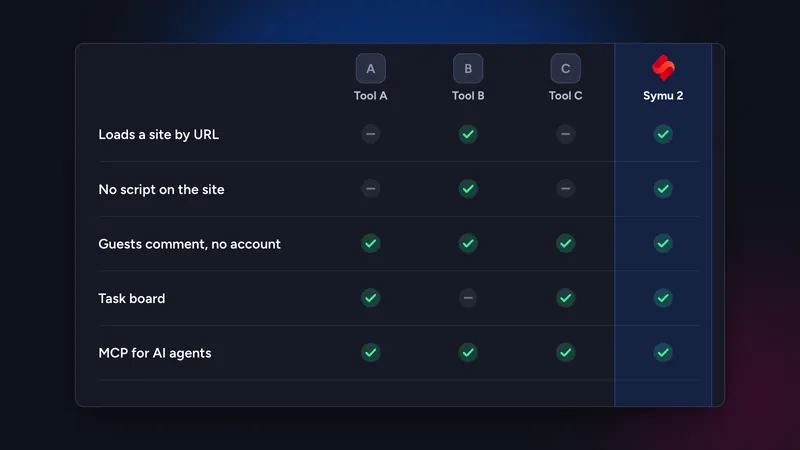
As of November 2026, Marker.io fits teams that want bug reports flowing into Jira, GitHub or Linear, BugHerd fits agencies that want a kanban board for client feedback, Pastel fits quick client approvals on a URL with a free start, and Symu 2 fits developers who want URL-based client review together with an AI coding agent reading comments over MCP. Which is best depends on where your feedback should end up.
We build Symu 2, so we are not neutral. This comparison is based on vendor websites and documentation as of November 2026. Anything we could not confirm is marked “not verified”. Check the vendor’s site before you buy, because features and prices change often.
In this article
The four questions that decide it
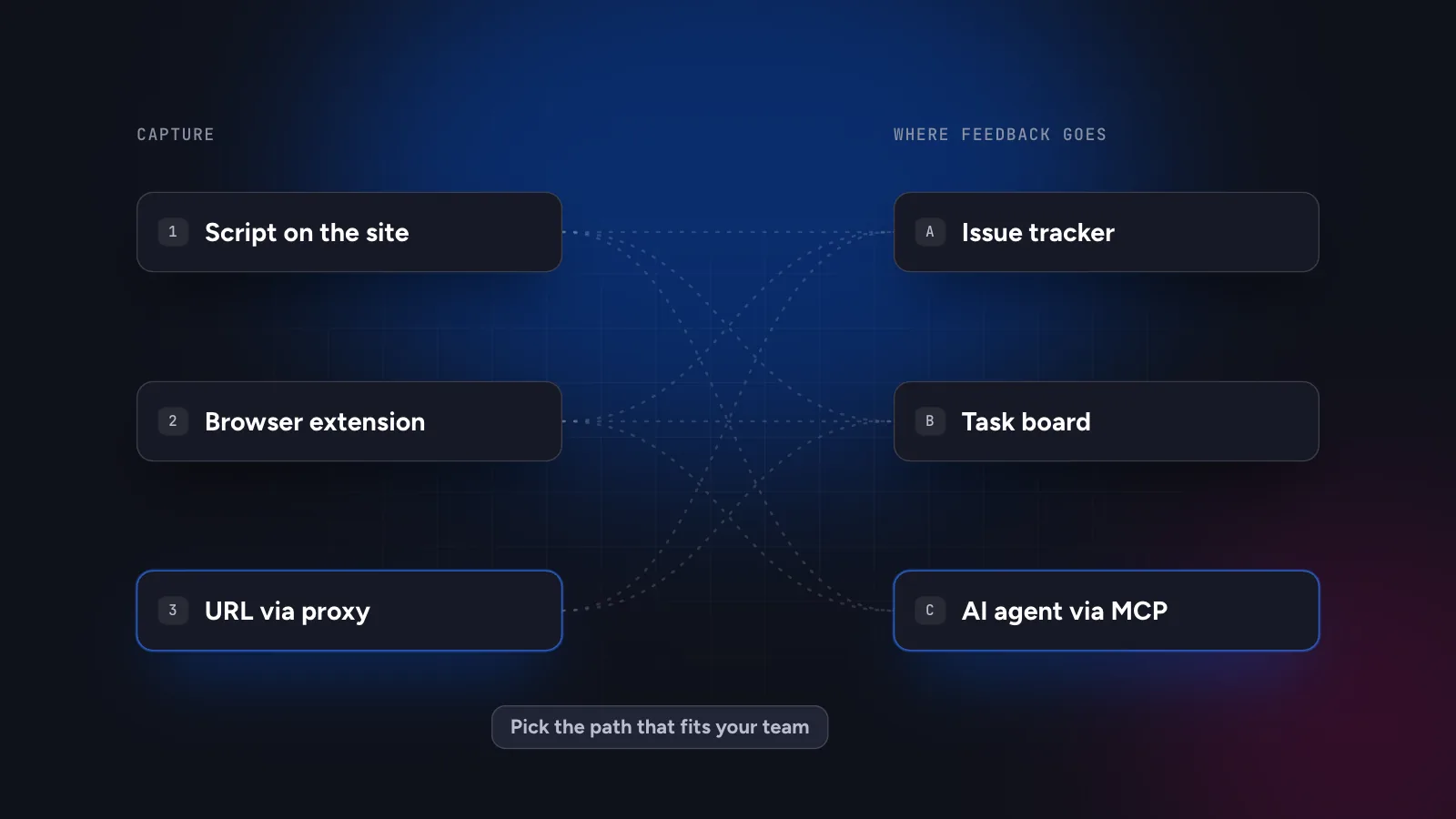
- How does it capture the page? A script or widget on the site, a browser extension, or a URL loaded by the tool. Script-based tools suit sites you control. URL-based tools suit client sites and quick reviews.
- Where does feedback go? Into your issue tracker, a built-in task board or a plain list.
- What can an AI coding agent do with it? Several tools now offer MCP. The difference is what each comment contains: a screenshot and console logs, or element selectors and HTML as well.
- How does the price scale? Per seat, per project or flat.
Side-by-side summary
| Tool | Capture | Feedback goes to | MCP (per vendor) | Starting price |
|---|---|---|---|---|
| Marker.io | Widget or browser extension | Issue trackers (Jira, GitHub, GitLab, Linear and more) | Yes, official | $59/month monthly, $39 on annual billing |
| BugHerd | Script or extension | Built-in kanban board, plus integrations | Yes (check plan limits) | From $50/month (5 members) |
| Pastel | URL, no script | Built-in canvas with statuses; integrations on paid plans | Yes (Claude connector) | Free for 1 active canvas; Pro $35/month |
| Symu 2 | URL via server-side proxy, no script | Built-in tasks and workflow; Slack and Discord webhooks | Yes | $19/month, 14-day trial |
Prices are in USD from the vendors’ public pricing pages as we read them in November 2026 and may exclude VAT. We did not verify enterprise or custom plans, free-trial lengths for the other tools or details of their MCP tool lists.
Marker.io
Strengths. A bug-reporting tool at heart. A reporter annotates a screenshot and Marker.io creates a ticket in your tracker with browser metadata. It supports many trackers with two-way sync, guests are unlimited, and it has an official MCP server.
Consider. It captures through a widget or an extension, so the site must carry a script or the reviewer needs the extension. There is no free plan. For a developer who wants client comments on a site they do not control, that is a heavier setup. See Symu 2 vs Marker.io.
Best for: product and QA teams who already live in Jira, GitHub or Linear.
BugHerd
Strengths. A mature tool for agency feedback. Clients point and click on the page, BugHerd captures a screenshot and technical data and places the task on a kanban board. It has integrations with common project tools, and MCP is mentioned on its pricing page.
Consider. Pricing is per plan with member limits, and capture uses a script or an extension. Which integrations come with which plan should be checked on the vendor’s site. See Symu 2 vs BugHerd.
Best for: agencies that want a visual task board shared with clients.
Pastel
Strengths. Loads the site by URL with no script, lets guests comment without an account and has a free plan for one active canvas. It offers a Claude connector so an assistant can read canvases and comments, reply and resolve.
Consider. Paid plans limit users and active canvases. We have not verified whether comments carry selectors and HTML snippets for agents, so check that if element-level context matters to you. See Symu 2 vs Pastel.
Best for: freelancers and small studios who want fast client approvals and a free start.
Symu 2
Strengths. Loads the site by URL through a server-side proxy with nothing to install on it. Clients comment through a share link without an account. Every comment stores the page URL, CSS selector, XPath, HTML snippet and breakpoint, with desktop, tablet and mobile previews. The MCP server lets Claude Code, Cursor and other agents list, read, reply and resolve. There is “Copy as AI prompt” and “Export for AI” as a markdown task list, Slack and Discord notifications, design uploads (images, PDF, PSD) and a flat $19 per month with unlimited team members.
Consider. The site must be reachable from the internet, so pages behind a login are not supported, and sites with strict bot protection may not load. There is no Jira or GitHub two-way sync, so teams that need tickets in a tracker will be better served by Marker.io or BugHerd. See the product overview and MCP page.
Best for: developers, freelancers and vibe coders who work with AI coding agents and want client feedback and code changes in one loop.
What “supports MCP” does and does not tell you
Four tools documenting MCP support sounds like a tie, but the label hides real differences. MCP is only the transport. What matters is the content of each comment and the actions the agent can take. A comment with a screenshot, console logs and network requests helps with bugs that only happen at runtime. A comment with the CSS selector, XPath, HTML snippet and breakpoint helps with visual and content changes, because the agent can search the repository for the exact element. Some tools offer both kinds of context, others emphasise one. Whether the agent can reply and resolve, rather than only read, also changes how much manual work is left for you.
How to run a fair trial
Feature lists only go so far. Before committing to a tool, run the same small project through each shortlisted option and compare the results.
- Pick a real site with at least three pages and one known problem on mobile.
- Add a non-technical person as reviewer and give them nothing but the link and one sentence of instructions. Note where they hesitate.
- Ask them to leave five comments, including one on mobile and one on a small element such as a footer link.
- Give the comments to your coding agent, through MCP if the tool supports it. Count how many it fixes correctly without further explanation.
- Check what happens to the finished work: status changes, replies, notifications and where the history lives.
Look at the quality of the comments, not only at the interface. A tool that captures the selector and breakpoint will usually produce fixes with fewer questions, whichever vendor it comes from. Also check price at your real size: number of clients, team members and projects.
Which fits which team
- You work in Jira, GitHub or Linear and want tickets there: start with Marker.io.
- You run an agency and want a client-facing board: look at BugHerd.
- You need quick client sign-off and a free tier: try Pastel.
- You code with Claude Code or Cursor and want element-level context: try Symu 2. The step-by-step guides are for Claude Code and for Cursor.
For a wider list including Userback, Feedbucket, Ruttl and MarkUp.io read the best website feedback tools in 2026. The practical test is the same for all of them: run one real project through the tool and see whether the comments you get are ones you can act on.
Symu 2 has a 14-day free trial with no credit card. Try it on one of your sites.