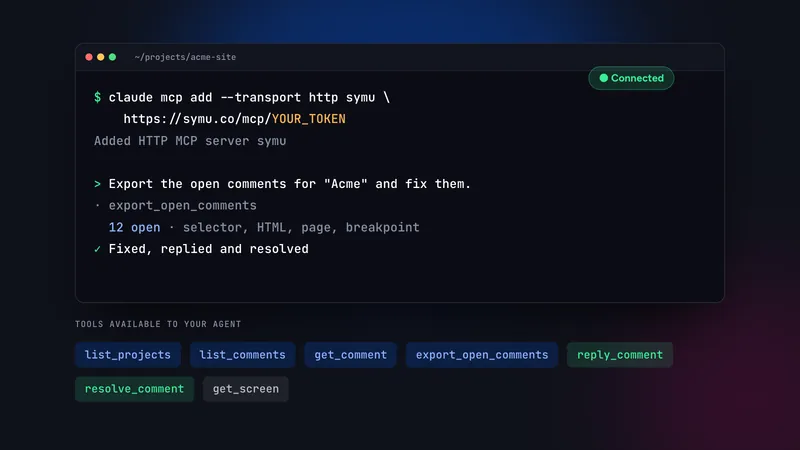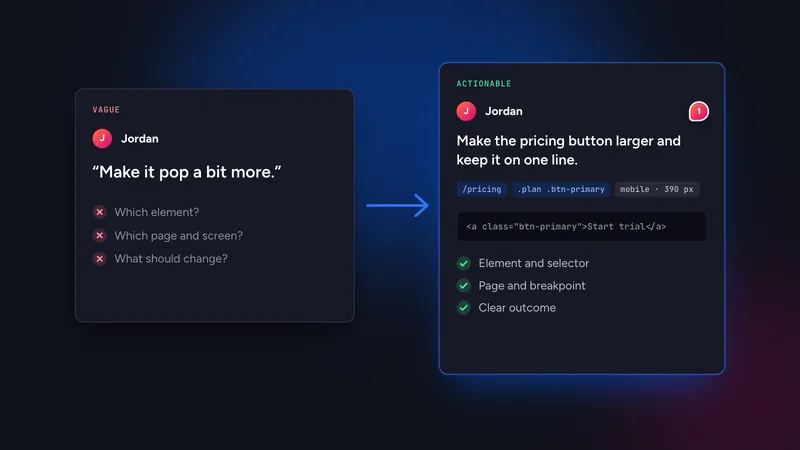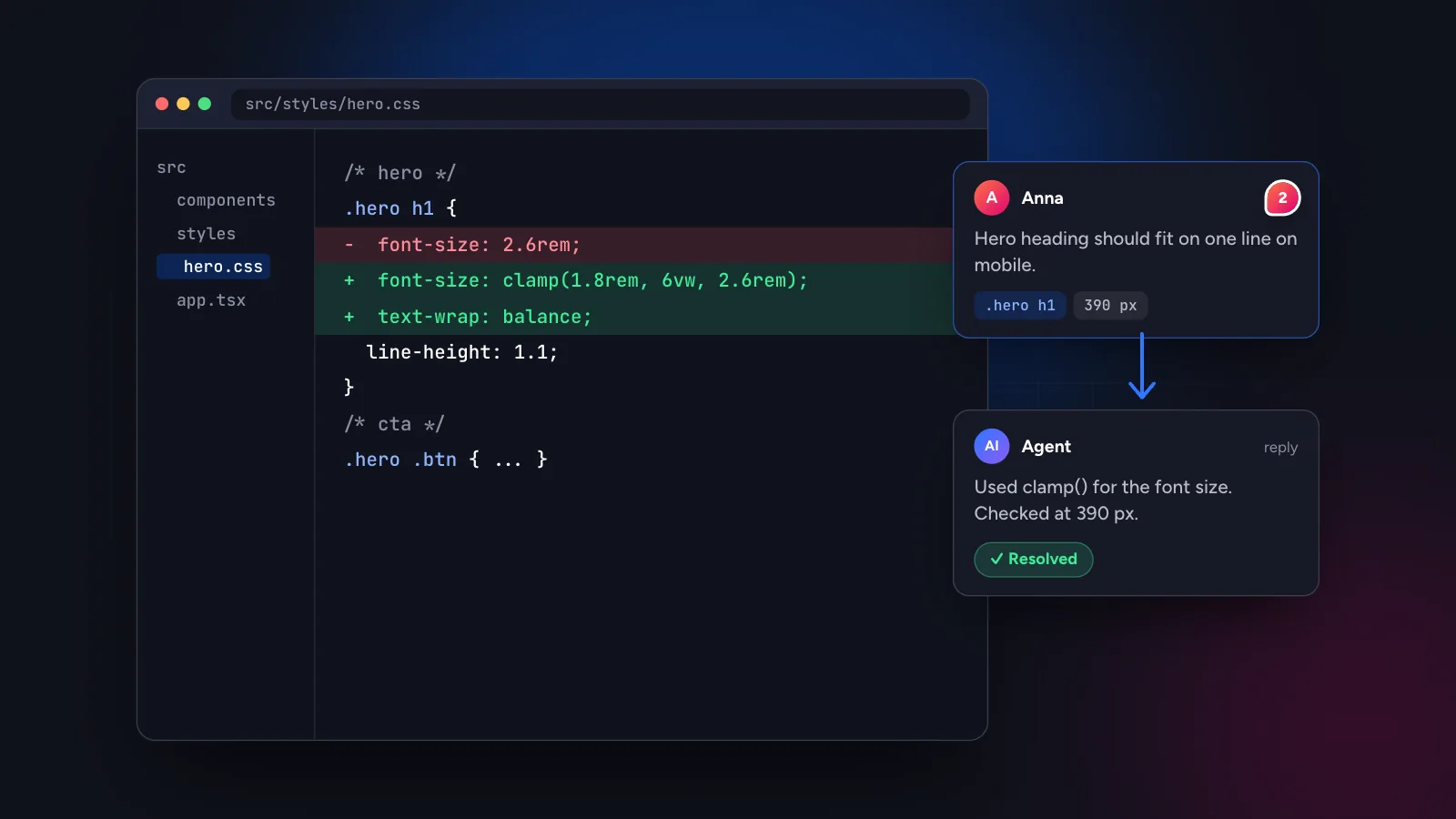
To turn client comments into code changes in Cursor, add the Symu 2 MCP link to your Cursor MCP configuration, open the project in Cursor and ask the agent to read the open comments. Each comment carries the selector, HTML snippet, page URL and breakpoint, so the agent can find the right component, edit it and reply to the client.
In this guide
Why Cursor needs more than a screenshot
Cursor knows your repository well. It does not know what your client saw in the browser. When feedback arrives as “the heading on the home page is too big on my phone”, the agent has to work out which heading, which component and which breakpoint before it can make a useful change.
Closing that gap is the point of connecting a feedback tool through the Model Context Protocol (MCP). The tool hands the agent the same details you would find in browser devtools: element selector, XPath, an HTML snippet, the page URL, the screen size and a screenshot. The agent turns those into a search in the codebase and a targeted edit.
Connect Cursor to Symu 2
- In the Symu 2 panel open “MCP for AI” and copy your personal link. It has the form
https://symu.co/mcp/YOUR_TOKEN. - In Cursor, open the MCP settings or edit your
mcp.jsonfile and add a server entry that points to the link:{ "mcpServers": { "symu": { "url": "https://symu.co/mcp/YOUR_TOKEN" } } } - Reload the MCP list in Cursor. The
symuserver should show its tools. If it does not, restart Cursor and check the link.
Configuration formats change between Cursor releases, so treat the snippet as a starting point and compare it with Cursor’s current documentation. Keep the token out of version control: use the global MCP file in your home directory rather than a file inside the repository, or keep a project file out of git.
Turn a comment into a code change
Say a client pinned this comment on your pricing page at 390 px: “Button text wraps onto two lines.” In Cursor’s agent chat, ask:
Use the symu MCP server. Get the open comments for the
"Acme" project, page /pricing, breakpoint mobile.
Find the element in this repo, fix it with minimal CSS
changes, then reply on the comment and resolve it.
The agent calls list_comments to find the thread and get_comment for the detail. A comment looks roughly like this to the agent:
#31 [open] by Marek (client) · Website "Acme" › /pricing
Comment: "Button text wraps onto two lines"
Page: https://acme.com/pricing · mobile 390×844
Element: <a.btn.btn-primary> "Start your free trial"
Selector: #plans > div.plan:nth-of-type(2) a.btn
With that, Cursor searches for btn-primary and the visible text, opens the matching component, and proposes a diff, for example allowing the label to shrink or reducing horizontal padding at narrow widths. The format above is illustrative, but the information is the same.
When you accept the change, the agent calls reply_comment with a short summary and resolve_comment to close the thread. Your client sees the reply in the same place where they left the comment.
Make results repeatable with a project rule
You will repeat this task often, so write down how you want it done once. A short Cursor rule in the repository keeps the agent consistent:
When asked to fix website feedback:
1. Use the symu MCP server to read open comments.
2. One comment = one small, separate change.
3. Respect the breakpoint stored with the comment.
4. Do not redesign. Keep existing colors and spacing.
5. Reply on each comment with what changed, then resolve it.
6. If a comment is ambiguous, ask instead of guessing.
Rules like these prevent the most common failure of agent edits, which is doing more than the comment asked for. Our guide to writing feedback an AI agent can act on explains the reviewer’s side of the same contract.
Without MCP: copy as AI prompt
If you cannot use MCP, or you only want to fix one comment, there are two fallbacks in Symu 2:
- Copy as AI prompt on a comment copies the text together with the element context as a prompt, ready to paste into the Cursor chat.
- Export for AI exports all open comments of a project as one markdown task list, grouped by page. Paste it into the chat or save it as a file the agent can read.
The fallbacks do not let the agent reply or resolve, so you close the loop by hand.
Working through a larger batch
A review round often produces twenty or thirty comments. Sending all of them to the agent at once invites mistakes, so split the work.
- Group by page. Ask the agent to handle one page at a time. Edits on one page usually touch a small set of components, which keeps each diff readable.
- Separate quick wins from judgement calls. Copy changes, missing alt text and spacing fixes are safe to automate. Anything that changes structure, such as reordering sections, deserves a human decision first.
- Commit per group. One commit per page or per component, with the comment numbers in the message, makes it easy to revert a single fix.
- Ask for a summary. At the end of a batch ask the agent for a list of comments fixed, comments skipped and why. Skipped comments are where you add your own context.
This division of labour works because the comments already say where each problem lives. The agent spends its effort on the code, not on guessing what the reviewer meant.
What the agent cannot know
Even with perfect comments, some things stay outside the agent’s view. It does not see your design system unless the repository documents it, it cannot judge visual taste, and it will not know that a section is generated from a CMS entry rather than a component. When a comment depends on that knowledge, add it to the thread or to a project rule. A single sentence such as “headings come from the CMS, change the template instead” saves a wrong edit and a revert.
Reviewing what the agent did
- Read the diff. Check that the change touches the component you expect and nothing else.
- Reload at the same breakpoint. Open the page in Symu 2 at the size of the comment and see whether the problem is gone.
- Resolve it yourself when in doubt. Let the agent propose and the human confirm. A wrong “resolved” is worse than an open comment.
- Deploy before re-checking. Symu 2 loads the live site by URL, so the new version must be on your preview or staging server first.
The same MCP link works with Claude Code, so you can switch tools without changing the feedback workflow. The MCP page lists every tool in detail.
Want to see it on your own site? Start the 14-day free trial, paste a URL, pin a comment and ask Cursor to fix it.